Showing posts with label spatial. Show all posts

Tuesday, 28 April 2020

Contact tracing guide for the Neo4j Browser

Based on the past two blogposts on (Covid-19) contact tracing (see here for the posts, here for the movies), I thought it would be a good idea to pick up an old skill - to create a Browser Guide for Neo4j for people to look at this dataset example more easily. I did this a long time ago for my beergraph as well, so why not do it for the contacttracinggraph :) ...

About the Neo4j Browser and Browser guides

Here's what this is: with Neo4j, the native graph database, we always ship a default user interface called the "Neo4j Browser". It's a interactive application that communicates with the database, and that essentially allows you to fire of Cypher queries and look at / manipulate the contents of your database. Read up about it over here. Once you have done that you will realise that the Browser is actually more than that: it's also a great way for people to learn more about Neo4j, and has a built in mechanism to share "guides" to various topics. If you experiment a bit with the following commands:

Title
Description
Command
Intro
A guided tour of Neo4j Browser
:play intro
Concepts
Graph database basics
:play concepts
Cypher
Neo4j’s graph query language introduction
:play cypher
The Movie Graph
A mini graph model of connections between actors and movies
:play movie graph
The Northwind Database
A classic use case of RDBMS to graph with import instructions and queries
:play northwind graph
you will get to see a number of topics that allow you to familiarise yourself with it really easily. Most of these guides are either built in or available for serving from a webserver. But: you can also develop these guides yourself. There's a really nice worked example over here, but the process really is dead simple:

Friday, 24 April 2020

(Covid-19) Contact tracing follow-up - demo movies

In my previous post I outlined the 4 different blogposts that I wrote about using the Neo4j Graph Database for Contact Tracing. Each of these posts is actually interesting in and of its own, and actually makes for a really nice demo of the capabilities in Neo4j. So I created those today - and put them on a Youtube playlist for you:


Tuesday, 21 April 2020

(Covid-19) Contact tracing - an amazing graph problem & rabbit hole

In the past couple of days, I have been working with several of my colleagues on a number of projects, all around the world, that are preparing our societies for a post-lockdown strategy that will allow us to keep the Covid-19 pandemic under control, and still regain some of our freedoms. This will be tricky, for sure, but as in so many problems, technology can probably assist.

That's why I started experimenting with how a graph database like Neo4j could help with this. Some of the tracing problems that we will face, are uniquely well suited for a graph database approach: it allows for us to see and understand the indirect contacts that healthy and sick people may have had with one another, and the effects that this could cause in our environments. It also allows for some unique predictive analytics: the structure of our contacts, the network/graph that it constructs, actually says a lot about the importance that parts of the network may play in the evolution of the pandemic. Graph Data Science can give us pointers as to where this should direct our policies.

This has ended up being quite an extensive piece of work. In order to keep it readable, I have cut it up into 4 blogposts, which I will put up all at the same time:
There's so much potential in this dataset, and in this problem domain in general. I feel like I have gone into the rabbit hole and have just resurfaced for some air. But who knows, maybe I will dive back in and do some more digging - after all, this is interesting stuff, and I love working on interesting topics.

Hope this is as interesting for you as it was for me.

All the best

Rik

Note that these demos will require the following environment: 
  • Neo4j Desktop 1.2.7, Neo4j Enteprise 3.5.17, apoc 3.5.0.9, gds 1.1.0, or
  • Neo4j Desktop 1.2.7, Neo4j Enterprise 4.0.3, apoc 4.0.0.6 (NOT later! a bug in apoc.coll.max/apoc.coll.min needs to be resolved)

(Covid-19) Contact Tracing Blogpost - part 4/4

Part 4/4: Some loose ends for the Contact Tracing graph

In this last part of this blogpost series, I wanted to quickly articulate some interesting points that I found useful during these experiments.

Using the geospatial data for some additional insights

You may remember that back in part 1, I imported some geospatial properties into our graph - assigning coordinates to all of the Places nodes that we have in the graph. Clearly this also opens up further possibilities for additional analysis, which I have not explored yet in the previous posts. Suffice to say that this data is super easy to work with in Neo4j. Just run a query like this:
match (pl:Place) return pl.id, pl.name, pl.type, pl.location limit 10;
And you can see that the pl.location property has a real geospatial data type that I can use:

(Covid-19) Contact Tracing Blogpost - part 3/4

Part 3/4: Graph Analytics on the contact tracing graph

Note that these queries require environment: Neo4j Desktop 1.2.7, Neo4j Enteprise 3.5.17, apoc 3.5.0.9 and GDS 1.1. At the time of writing, Neo4j 4.0.3 is not yet supported by GDS 1.1.

One of the fantastic qualities of the graph data model, I have always found, is that it can give you interesting insights - without even looking at the data. The structure of the network can give you some really interesting new revelations, that you would not even have considered before. That is why Neo4j has invested a ton of effort in providing our industry with a completely new set of capabilities that allow us to discover these structural insights more easily - in the form of a new Graph Data Science Library. We have recently released the product, and you should read up on it in detail, and I think it would be a great and interesting idea to explore it on this Contact Tracing dataset that we have built in part 1 and queried in part 2.

Some data prep for analytics: inferring a new relationship

In order to do that, there's actually something that's missing: a new relationship between two Persons, which infers the fact that two people have MET. We can do that based on the overlap time of their visits to the same place - therefore leveraging a query from part 2. This is what are going to do: create a MEETS relationship between 2 Person nodes, based on the overlap - and we do that like this:

match (p1:Person)-[v1:VISITS]->(pl:Place)<-[v2:VISITS]-(p2:Person)
where id(p1)<id(p2)
with p1, p2, apoc.coll.max([v1.starttime.epochMillis, v2.starttime.epochMillis]) as maxStart,
apoc.coll.min([v1.endtime.epochMillis, v2.endtime.epochMillis]) as minEnd
where maxStart <= minEnd
with p1, p2, sum(minEnd-maxStart) as meetTime
create (p1)-[:MEETS {meettime: duration({seconds: meetTime/1000})}]->(p2);


As you can see, we are storing the length of the inferred meeting as a duration property on the relationship. The result appears very quickly:


(Covid-19) Contact Tracing Blogpost - part 2/4

Part 2/4: Querying the contact tracing graph

Note that these queries require environment: Neo4j Desktop 1.2.7, Neo4j Enteprise 3.5.17, apoc 3.5.0.9 or Neo4j Enterprise 4.0.3, apoc 4.0.0.6 (NOT later! a bug in apoc.coll.max/apoc.coll.min needs to be resolved)

In Part 1 we created and imported a contact tracing graph. Now, we are ready to experiment with some interesting graphy queries.

The most interesting part about many if these queries, I find, is that they all relay on the fundamental principle of "hypothesis-free querying". What I mean by this is, is that graph querying, in my experience and opinion, have this wonderful quality about them that you can actually interact with the data in a way that does not require you to hypothesize too much about the structure of the dataset. This is important, because very often I just won't know what I don't know, and making meaningful hypotheses is actually really hard and complicated. The fact that we don't have to do that, is a great win.

As always, you will find all queries are on github, so that you can have a play with it yourself as well. So let's dive right into it.

Who has a sick person potentially infected

To answer that, I will "grab" a sick person from the dataset, and then just walk the dataset from the person to the other persons that are currently healthy. The query goes like this:

match (p:Person {healthstatus:"Sick"})
with p
limit 1
match (p)--(v1:Visit)--(pl:Place)--(v2:Visit)--(p2:Person {healthstatus:"Healthy"})
return p.name as Spreader, v1.starttime as SpreaderStarttime, v2.endtime as SpreaderEndtime, pl.name as PlaceVisited, p2.name as Target, v2.starttime as TargetStarttime, v2.endtime as TargetEndttime;

(Covid-19) Contact Tracing Blogpost - part 1/4

Part 1/4: creating and importing a synthetic contact tracing graph

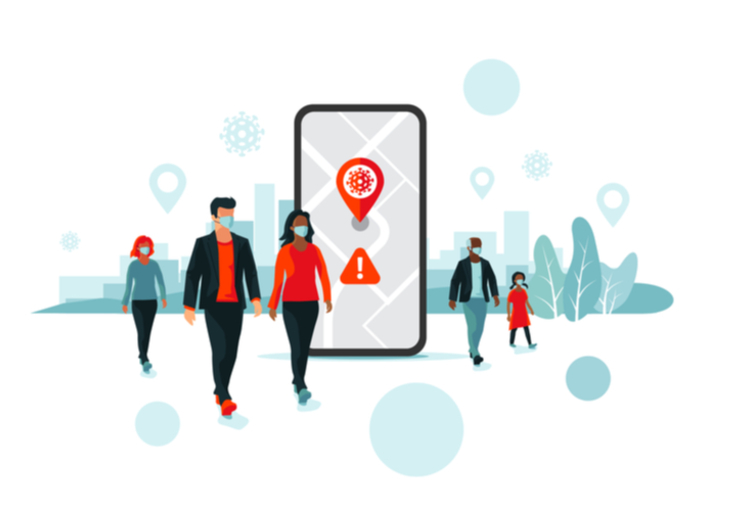
As we are living in these very interesting times, and many countries are still going through a massive operation to slow down the devastating effects of the SARS-CoV-2 virus and its CoViD-19 effects, there is of course also a lot of discussion already going on what we will do after the initial surge of the virus has passed, and when the various countries and regions will start opening up their economies.

A tactic many countries seem to be taking is the implementation of some kind of Contact Tracing. Using the technology on our phones and our pervasive internet connectivity, we could imagine a way to implement "distancing" and isolation of people that are either already victim of, or vulnerable to, CoViD-19. This seems like a logical, and useful tactic, that could help us to open up our economies for business, while still maintaining the basic attitude of wanting to "flatten the curve". Of course there are still many, many issues with this approach, not in the least with regards to patient privacy and political freedoms, but it seems like an interesting track to explore, at least. Many government organisations have therefore started to explore this, and are working with some of the industry giants like Google and Apple to make this a reality.

This evolution started a whole range of discussions inside Neo4j, especially with regards to the usefulness of a graph database to make sense of some of these contact traceability databases. I remember reading Christakis and Fowler's Connected book, and understanding that virus outbreaks are one of those cases where our direct contacts don't necessarily matter - or at least not matter alone. Indirect contacts, between our friends' friends' friends, can be just as important. So lots of interesting, graph-oriented questions arise: How could we maximise the effect of our distancing measures, and of any contact tracing applications that we put in place? How could we use the excellent and predictive power of the graph to find out which of a person's connections could be most risky? How can we use graph analytics to better understand the structural power and weakness of our social networks? And many more.

So, being locked down myself (although Belgium clearly has a much software stance than for example France or Italy), I thought I would spend some time exploring this. That's what this blogpost series is going to be about - so let's get right to it.
Tuesday, 12 November 2019

Playing with the Colruyt Data Science assignment

If you spend any time in the Wonderful World of Graphs, I am sure you have noticed that the landscape has been changing in the past few years. I have definitely seen a change: the interest in using graphs has shifted from wanting to use graph databases for "data retrieval" purposes, to now also wanting to make use of it ton "make sense of" the data - basically doing data analytics. Of course data retrieval and data analysis are related, and in many cases we nowadays talk about all of this under the umbrella of data science. Sounds great, and at Neo4j we have made fantastic strides in making new functionality (think the Algo library that you can install on every Neo4j server, or think the Neuler graphapp that makes using the Algo library a walk in the park) available to enable these workloads - a work in progress that will only accelerate.

Friday, 15 June 2018

Exploring new datatypes in Neo4j 3.4 and the Open Beer Database - part 2/2

In the previous blogpost I imported the Open Beer Database into Neo4j and added some new fancy spatial data to it. Now in this post I would like to explore that data. As a reminder, you can find the full
Let's take a look.

First we will just look at the basic OpenBeerDB data. The schema is quite straightforward:

Thursday, 14 June 2018

Exploring new datatypes in Neo4j 3.4 and the Open Beer Database - part 1/2

Recently, I gave a talk at the Amsterdam, Brussels and London Neo4j meetups about some of the new and exciting features in Neo4j 3.4. While preparing for it, I was looking for material and I found some very cool stuff that powerfully explains the new features. The best resource is probably this post by Ryan Boyd, and the video that goes with it:


Ryan does a great job at explaining the new features, and goes into some detail on the new temporal and spatial data types that you can now use in Neo4j 3.4. You can explore these new features yourself by accessing the Neo4j Sandbox developed specifically for this purpose. Or you can just do what I did, and use the Neo4j Desktop to spin up a Neo4j instance, and access the "guide". You do that by typing
:play https://guides.neo4j.com/sandbox/3.4/index.html
into the Neo4j browser, and then you can access the entire guide, add some data to your dataset, and play around.

Friday, 25 November 2016

Podcast Interview with Craig Taverner, Neo Technology

The interview below was long overdue - but very much worth the wait. For the past couple of years, the Neo4j community has been brewing on a really interesting add-on capability to integrate GIS-style, spatial querying capabilities into Neo4j. It's such a great and natural fit - and one of the driving forces behind this in the community has always been this global citizen called Craig Taverner. Craig has been in the ecosystem for years - first as a community member, then as a commercial customer, and now as an employee in Neo's Swedish engineering team. So about time we had a chat:

Here's the transcript of our conversation:
RVB: 00:02.785 Hello everyone. My name is Rik, Rik Van Bruggen from Neo Technology, and here we are again, recording another Neo4j Graphistania podcast session. And today I'm joined by one of my colleagues actually, in the Neo4j engineering team, Craig Taverner. Hi Craig.

Thursday, 26 November 2015

Podcast Interview with Karl Urich, Datafoxtrot

Been a hectic couple of weeks, which is why I am lagging behind a little bit in publishing lovely podcast episodes that I actually recorded over a month ago. Here's a wonderful and super-interesting chat with Karl Urich of DataFoxtrot, who wrote about graphs, spatial applications and visualisations recently on our blog and on LinkedIn Pulse. Lovely chat - hope you will enjoy as much as I did:


Here's the transcript of our conversation:
RVB: 00:01 Hello, everyone. My name Rik. Rik Van Bruggen from Neo Technology, and here I am, again, recording another episode of the Graph Database podcast. Today, I've got a guest all the way from the US, Karl Urich. Hi, Karl. 
KF: 00:15 Rik, very nice to speak with you. 
RVB: 00:17 Thank you for joining us. It's always great when people make the time to come on these podcasts and share their experience and their knowledge with the community, I really appreciate it. Karl, why don't you introduce yourself? Many people won't know you yet. You might want to change that. 
KF: 00:35 Yeah, absolutely. So, again, thanks for having me on this podcast. It's really great to be able to talk about the things I have experimented with and see if it resonates with people. I own a small consulting business called DataFoxtrot, started under a year ago. Primary focus of the business is on data monetisation. If a company has content or data, how can we help those companies make money or get new value from that content or data if they could be collecting data as a by-product of their business or they could be using data internally in their business and then they realise that someone outside the company can use that as well? So, that's the primary focus of my business, but like any good consulting company, I have a few other explorations and really this intersection of the world of graph and spatial analytics or location intelligence is what interests me. So, talking a little bit about those explorations is what will hopefully interest your listeners. 
RVB: 01:38 Yeah, absolutely. Well, so, that's interesting, right? I mean, what's the background to your relationship to the wonderful world of graphs then, you know? How did you get into it? 
KF: 01:45 Yeah, so going all the way back to college, I did take a good Introduction to Graph Theory as a mathematics elective, but then really got into the world of spatial and data analytics.  For 20 years working with all things data: demographic data, spatial data, vertical industry data, along the way building some routing products, late 1990's or late 2000's products, that did point to point routing, drive time calculations, multi-point routing. Really kind of that original intersection of graph and spatial. But, data junky, very interested in data: graph, spatial, data modelling et cetera. 
RVB: 02:28 Yeah. Cool. I understand that these spatial components is like your unique focus area, or one of your at least focus areas these days, right? Tell us more about that. 
KF: 02:39 Yeah, absolutely. And it's certainly what resonates when I think of about the graph side, spatial data really should define-- spatial data could be any sort of business problems related to proximity location or driving things because you know where something is, your  competitors, your customers, the people that you serve. And that's where it resonated to me when, as I start to look at graph and spatial, I was really excited back in April. I walked in, just very coincidentally, in a big data conference to a presentation being put on by Cambridge Intelligence-- 
RVB: 03:24 Oh, yeah. 
KF: 03:26 And so they were introducing spatial elements to their graph visualization. 
RVB: 03:31 That's really-- they just released a new product, I think. Right?
KF: 03:34 Just released the new product, at the time had gone beta. So, that really got me thinking about how could you combine graph and spatial together to solve a problem. Looking at Cambridge Intelligences, technology of looking at some spatial plugins for Neo, and again, my company is a consulting company and if there is a need for that expertise at the intersection of graph and spatial, we want to explore that. 
RVB: 04:05 Very cool. Did you do some experiments around this as well, Karl? Did you, sort of, try to prove out the goals just a little bit? 
KF: 04:11 Yeah. Absolutely. Let me talk a little bit about that. At this concept of combined spatial and graph problem that looked at the outliers, outliers just meaning things that are exceptional, extraordinary, and the thinking is, in my mind, was businesses and organisations can get value from identifying outliers and acting on those outliers. So, maybe an outlier can represent an opportunity for growth by capitalising on outliers, or bottom-line savings by eliminating outliers. Let me give an example of an outlier. If you look at a graph of all major North American airports, and their flight patterns, and put it on a map, you could visualise that Honolulu and Anchorage airports are outliers. There are just few other airports that, "look the same”, meaning same location, same incoming and outgoing flight patterns. And that's really relatively easy if you have a very small graph to visualise outliers, but if you want to look at a larger graph, hundreds of thousands, millions of nodes, what would you do? So, that really started the experiment. I was looking around for test data. Wikipedia is fantastic. You can download-- 
RVB: 05:28 [chuckles] It is. 
KF: 05:29 Wikipedia data-- I love Wikipedia. Anyway, it seemed very natural. And the great thing is that there are probably around a million or so records that have some sort of geographic tagging
RVB: 05:42 Oh, do they? 
KF: 05:44 Yep, so a page-- London, England has a latitude longitude. Tower of London has a latitude and longitude. An airport has a latitude longitude. 
RVB: 05:54 Of course. 
KF: 05:54 So, you can tease out all of the records that have latitude longitude  tagging, preserve the relationships and shove that all into a graph. So, you have a spatially enabled graph, every XY has a-- every page has a latitude longitude or XY. So, really the hard work started, which was taking a look at outliers. So, quick explanation of outliers, so, you think of  a Wikipedia page for London, England, a Wikipedia page for Sidney, Australia, they cross reference each other. Pretty unusual to locations other side of the world, but would you call those outliers? Not really, because there's also a relationship between the London page and the Melbourne, Australia Wikipedia page. So, you really wouldn't call those anything exceptional. And so, what I built was  a system, or just a very brief explanation is that I looked at relationships in the graph, looked only at the bi-directional or bilateral relationships where pages cross-referenced each other. None have really identified how close every relationship was to another relationship or looked for the most spatially similar relationship. You can score them then, and you can kind of rank outliers. So, let me just give one quick example. It's actually my favorite outlier that I've found-- 
RVB: 07:30 Which category? 
KF: 07:31 Unusual thing to say. There's a small town in Australia called Arish. I think I'm pronouncing that right, that has a relationship with the town in the Sinai Peninsula called Arish, and El Arish in Australia is named after Arish, Egypt because Australian soldiers were based there in World War One-- 
RVB: 07:51 No way! 
KF: 07:53 Yep! And most importantly, this relationship from a spatial perspective, looks like no other relationship. So, that's the kind of thing, when you are able to look at relationships, try to rate them in terms of spatial outliers-- 
RVB: 08:10 Yeah, sure. 
KF: 08:12 You can find things that lead to additional discovery as well. 
RVB: 08:18 Super cool. 
KF: 08:19 As a Wikipedia junkie, that's pretty fascinating. 
RVB: 08:21 [laughter] Very cool. Well, I read your blog post about-- outliers made me think of security aspects actually. I don't know if you know the book Liars and Outliers. It's a really great book by Bruce Schneier. I also have to think about-- we recently did a Wiki Wiki challenge, which is, you know, finding the connections between Wikipedia pages. You know, how are two randomly chosen Wikipedia pages linked together, which is always super fun to do. 
KF: 09:00 It was even in my original posting and I didn't want to say that, "Hey, this could be used for security type applications." So, I think I talked in code and said, "You could use this to identify red flag events," but I like to think of it as both the positive opportunity and the negative opportunity when you're able to identify outliers and-- 
RVB: 09:26 Yeah, identifying outliers has lots of business applications, right? I mean, those outliers are typically very interesting, whether it's in terms of unexpected knowledge, or fraudulent transactions, suspect transactions. Outliers tend to be really interesting, right? 
KF: 09:43 Absolutely, absolutely. 
RVB: 09:45 Super cool. So, where is this going, Carl? What do you think-- what's the next step for you and DataFoxtrot, but also graph knowledge in general? Any perspectives on that? 
KF: 09:56 Yeah. So, there's more of a tactical thing, which is as we record a week from now we have GraphConnect probably-- 
RVB: 10:04 I am so looking forward to it. 
KF: 10:06 Which will be fantastic and being able to test this out with people. It's always great to bounce ideas off to people. In terms of our next experiments, the one that interests me is almost the opposite of outliers and let me explain. So, I have some background in demographics, analytics, and segmentation, so, what interests me a lot is looking at clustering of relationships of the graph. Think of clustering is grouping things that are similar in to bins or clusters, so that you can really make over arching statements or productions about each cluster. You can use techniques like K Means to do the clustering. So, what interests me about graph and spatial for clustering is you can use both elements. The relationships of the graph, spatial location of the nodes, together to drive the clustering. I've started some of the work on this and, again,  using Wikipedia data and maybe the outcome, using Wikipedia, if you did your clustering based on spatial location of the nodes, plus strength of the connection, plus the importance of the nodes, plus maybe some other qualifiers, like if a node is a Wikipedia page for a city or a man-made feature, a natural feature, you might end up with clusters that have labels to them. One cluster might be all relationships connecting cities in South America and Western Europe, or relationships between sports teams around the world. So, it's kind of the opposite, if outliers is finding the outliers, the exceptional things, clustering is finding the patterns. 
RVB: 11:42 Commonalities. 
KF: 11:44 A real-world example might be an eCommerce company is looking at the distribution network, and they want to do clustering based on shipments, who shipped what to whom, where the shipper and recipient are, package type, value, other factors, and they could create a clustering system that categorises their distribution network and they can look at business performance by cluster, impact of marketing on clusters and sometimes just the basic visualisation of clustering just often yields those Eureka moments of insight. That's kind of the next entrusting project that's out there. I'd say, ask me in six to eight weeks [laughter]. 
RVB: 12:29 We'll definitely do that. Cool. Carl, I think we're going to wrap up here. It's been a great pleasure talking to you. Thank you for taking the time, and I really look forward to seeing you at GraphConnect. I wish you lots of fun and success with your project. 
KF: 12:49 Excellent. Thank you very much Rik, really appreciate it. 
RVB: 12:51 Thank you, bye bye.
Subscribing to the podcast is easy: just add the rss feed or add us in iTunes! Hope you'll enjoy it!

All the best

Rik